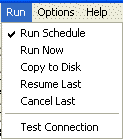
The Run menu is used to run Remote Backup different modes.
Tells Remote Backup to run on its normal schedule.
Runs a backup now, using the currently selected Backup Set.
Runs a backup using the currently selected Backup Set, but rather than sending it to the RBS Server, it sends it to a local drive. This is useful when sending a large amount of data to the RBS Server as a first backup, which might take too long if sent over the Internet.
If there has been an interrupted backup, this option will display. It resumes the last backup if it was interrupted.
If there has been an interrupted backup, this option will display. It cancels the last interrupted backup.
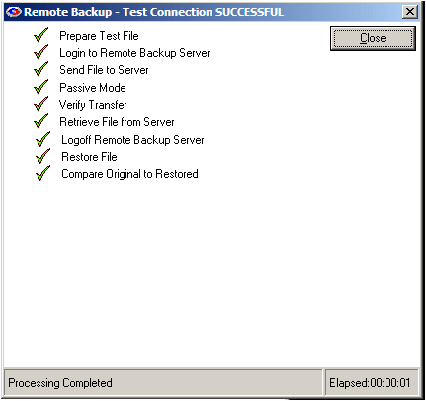
Tests the connection between the Remote Backup Client and the RBS Server. If the connection is good, the following screen will appear with all green checkmarks.